
Computer sound on your phone
Take films, calls, music, and everyday computer sound with you around the room.
One phone. Three jobs.
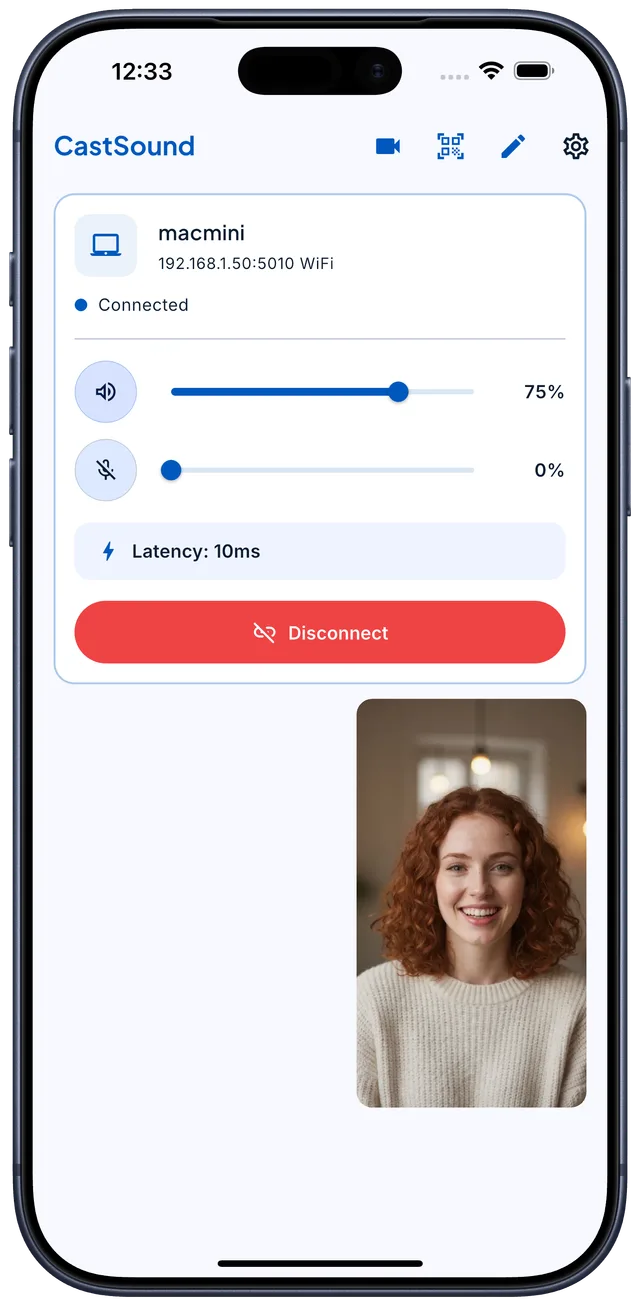
Turn the phone you already own into a wireless speaker, microphone, and webcam for your Mac or Linux computer.
CastSound
Open CastSound on both devices, choose your computer, and get back to your call, film, music, or work.
Take films, calls, music, and everyday computer sound with you around the room.
Use the microphone already in your pocket for calls, classes, and conversations.
Show up in meetings and streams with the camera already in your pocket — no extra hardware.
Use cases
Product comparison
| Feature | CastSound | AudioRelay | SoundWire | WO Mic | SonoBus |
|---|---|---|---|---|---|
| Platforms | |||||
| macOS app | ✓ | ✓ | — | — | ✓ |
| Linux app | ✓ | ✓ | ✓ | ✓ | ✓ |
| Windows app | Not yet | ✓ | ✓ | ✓ | ✓ |
| Android app | ✓ | ✓ | ✓ | ✓ | ✓ |
| iPhone and iPad app | ✓ | — | — | ✓ | ✓ |
| What you can do | |||||
| Listen to computer audio on your phone | ✓ | ✓ | ✓ | — | — |
| Use your phone as a computer microphone | ✓ | ✓ | — | ✓ | — |
| Use your phone camera as a computer webcam | ✓ | — | — | — | — |
| Connect over USB | ✓ | ✓ | — | ✓ | — |
| Use several devices at once | — | ✓ | ✓ | — | ✓ |
| Distribution | |||||
| Free option | ✓ | ✓ | ✓ | ✓ | ✓ |
| Open source | — | — | — | — | ✓ |
Guides
Install CastSound on your computer and phone.
Keep both devices on the same Wi-Fi network.
Choose the device you recognize and connect.
Download CastSound